CalmPage
What it is
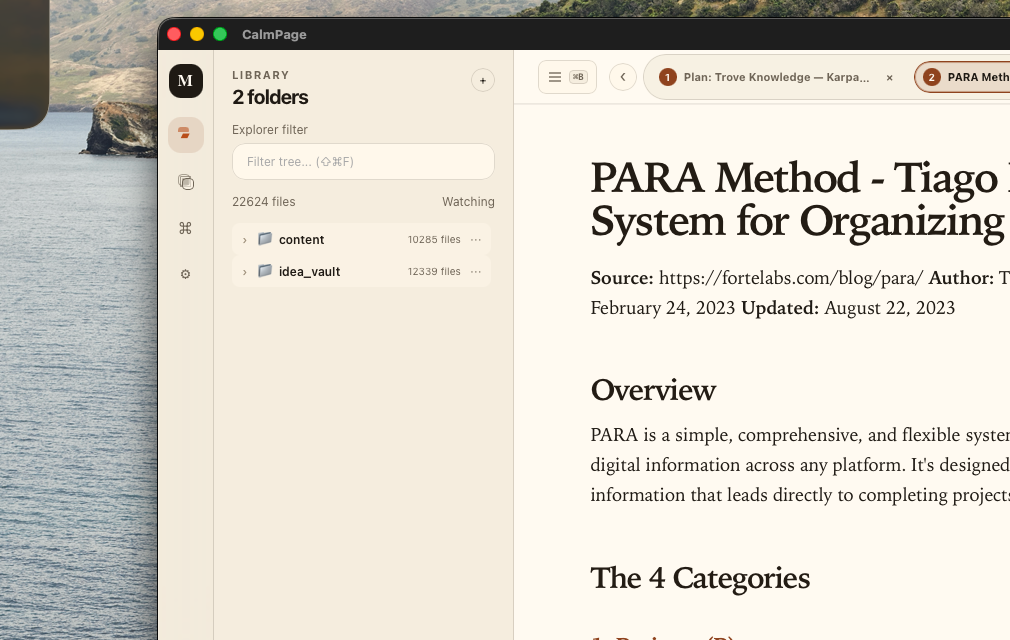
CalmPage is a free native macOS app for reading local Markdown files. It gives you a clean reading view, folder browsing, tabs, workspaces, focus mode, and a table of contents for long documents.
Why it exists
I use AI more and more, and AI creates a lot of Markdown: plans, specs, notes, reports, and long docs. Most IDEs are great for coding, but Markdown often feels ugly or noisy to read there. When long docs are hard to read, I skip them.
I built CalmPage for myself to fix that problem: make Markdown feel calm, readable, and easy to browse.
Who it is for
- Developers reading AI-generated docs
- People with local Markdown notes or project folders
- Anyone who wants a reader, not a full editor
Key features
- Open local Markdown folders
- Browse files from a simple library
- Read multiple files with tabs
- Save folder sets as workspaces
- Use focus mode for long documents
- Show a table of contents for headings
- Tune font size, spacing, width, and theme
Built with
- Tauri v2
- Svelte 5
- TypeScript
Availability
- Free app